%20with%20its%20geometry%20untouched.%20The%20conversion%20is%20mechanical%20and%20scripted,%20not%20retyped:%20the%20CorelDRAW%20wrapper%20is%20dropped%20(DOCTYPE,%20millimetre%20width/height,%20editor%20metadata,%20generated%20ids)%20and%20each%20`class='filN'`%20is%20replaced%20by%20the%20exact%20fill%20its%20CDATA%20block%20declared.%20Brand%20ink%20is%20%2325175C%20and%20the%20mark%20is%20%232D75EF.%20Do%20not%20hand-edit%20the%20paths;%20re-export%20from%20the%20brand%20assets%20if%20the%20mark%20changes.%20--%3e%3cg%3e%3cg%3e%3cpolygon%20fill='%2325175C'%20points='23.79,7.27%2016.02,7.27%2016.02,36.04%207.77,36.04%207.77,7.27%20-0,7.27%20-0,0.3%2023.79,0.3%20'/%3e%3cpath%20fill='%2325175C'%20d='M83.77%2036.04l0%20-23.89%207.71%200%200%203.75c0.75,-1.47%201.75,-2.58%203,-3.33%201.07,-0.68%202.45,-1.02%204.12,-1.02%200.89,0%201.74,0.13%202.52,0.38l-0.43%207.23c-1.07,-0.57%20-2.23,-0.86%20-3.48,-0.86%20-1.57,0%20-2.86,0.53%20-3.85,1.6%20-1.25,1.32%20-1.88,3.46%20-1.88,6.43l0%209.7%20-7.71%200z'/%3e%3cpolygon%20fill='%2325175C'%20points='105.41,11.97%20113.67,11.97%20113.67,36.04%20105.41,36.04%20'/%3e%3cpolygon%20fill='%2325175C'%20points='116.24,12.15%20124.7,12.15%20130.75,24.95%20136.8,12.15%20145.27,12.15%20133.17,36.04%20128.34,36.04%20'/%3e%3cpath%20fill='%2325175C'%20d='M165.92%2014.82l0%20-2.67%207.72%200%200%2023.89%20-7.72%200%200%20-2.89c-2.45,2.54%20-3.97,2.89%20-7.07,2.89%20-3.69,0%20-6.9,-0.92%20-8.96,-2.84%20-2.47,-2.3%20-3.48,-5.45%20-3.48,-8.95%200,-3.97%201.24,-7.18%203.7,-9.65%202.18,-2.18%204.95,-3.27%208.3,-3.27%203.29,0%205.8,1.16%207.51,3.48zm-5.57%203.16c-1.68,0%20-3.09,0.57%20-4.24,1.72%20-1.18,1.18%20-1.76,2.63%20-1.76,4.34%200,1.71%200.53,3.14%201.6,4.29%201.18,1.24%202.69,1.88%204.55,1.88%201.58,0%202.92,-0.55%204.03,-1.66%201.24,-1.18%201.88,-2.68%201.88,-4.5%200,-1.82%20-0.59,-3.29%20-1.77,-4.4%20-1.15,-1.11%20-2.58,-1.66%20-4.29,-1.66z'/%3e%3cpath%20fill='%232D75EF'%20d='M43.82%2019.71l-14.27%200.06c0.64,-3%203.44,-5.4%207.04,-5.45%203.82,-0.05%206.37,2.25%207.23,5.39zm9.03%2016.09l6.24%20-0.01%20-0.08%20-12.93%20-6.26%206.24%200.1%206.7zm-3.8%20-19c-0.24,-2.27%20-2.73,-4.69%20-4.05,-5.66%20-1.78,-1.31%20-4.3,-2.31%20-6.89,-2.54%20-6.29,-0.53%20-10.53,2.31%20-12.92,5.82%20-5.79,8.48%20-0.65,21.68%2011.86,21.3%204.98,-0.16%209.33,-2.84%2012.32,-6.56%201.59,-1.96%202.81,-3.05%204.6,-4.91%201.97,-2.06%207.1,-8.47%209.84,-9.22%202.75,-0.76%205.49,0.41%206.68,2.28%201.66,2.63%200.5,14.4%200.87,18.52l6.45%20-0.09c-0.01,-4.09%20-0.17,-9.41%20-0.16,-13.27%200.02,-4.06%20-0.49,-7.52%20-2.77,-9.9%20-5.08,-5.29%20-13.05,-5.2%20-17.82,-0.8l-12.41%2012.88c-1.73,1.8%20-3.75,4.91%20-7.79,5.09%20-3.94,0.18%20-6.55,-2.25%20-7.39,-5.47%202.29,0%204.56,0%206.84,0%202.34,0%204.44,0.43%205.78,-0.86l6.96%20-6.59z'/%3e%3cpath%20fill='%2325175C'%20d='M109.55%200c2.25,0%204.06,1.82%204.06,4.06%200,2.26%20-1.82,4.07%20-4.06,4.07%20-2.26,0%20-4.07,-1.82%20-4.07,-4.07%200,-2.25%201.82,-4.06%204.07,-4.06z'/%3e%3c/g%3e%3c/g%3e%3c/svg%3e)
People change. Access should follow.
Tenriva turns joiner, mover and leaver changes into structured requests, with the right approvals and a clear record of every decision.
For organisations using Microsoft Entra ID and Microsoft 365.
At a glance
- Designed to work with
- Microsoft Entra ID and Microsoft 365
- Requests
- Joiners, movers and leavers
- Approvals
- The manager first, then IT
- Records
- Audit history, exported as CSV or PDF
The problem
A new starter shouldn’t wait days for an account.
The start date was agreed weeks ago. The mailbox, licences and access are still put together by hand, by people working from an email, so the first day is often spent waiting.
51%
of new starters put technology issues, such as machines that do not work or things that are not set up, among their biggest frustrations.
01
HR records the change.
A start date, a new role or a last working day goes into the HR system.
02
Someone raises a ticket.
The details are copied into email or the service desk, often with something missing.
03
IT works through it by hand.
Accounts, licences, groups and app access are set up or removed one step at a time.
04
Nobody can easily show what happened.
Approvals sit in inboxes, old access lingers, and checking the result means searching several admin centres.

Access should be ready when they are.
Tenriva keeps the change, its approvals and the work it creates on one request, so on the morning of the start date nobody is reassembling it from an email.
How it works
One route from the change to the record.
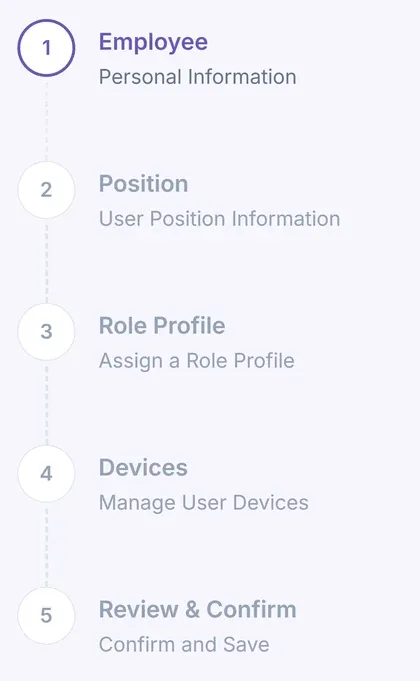
Every joiner, mover and leaver change takes the same five steps, and each one is visible to the people who need it.
01
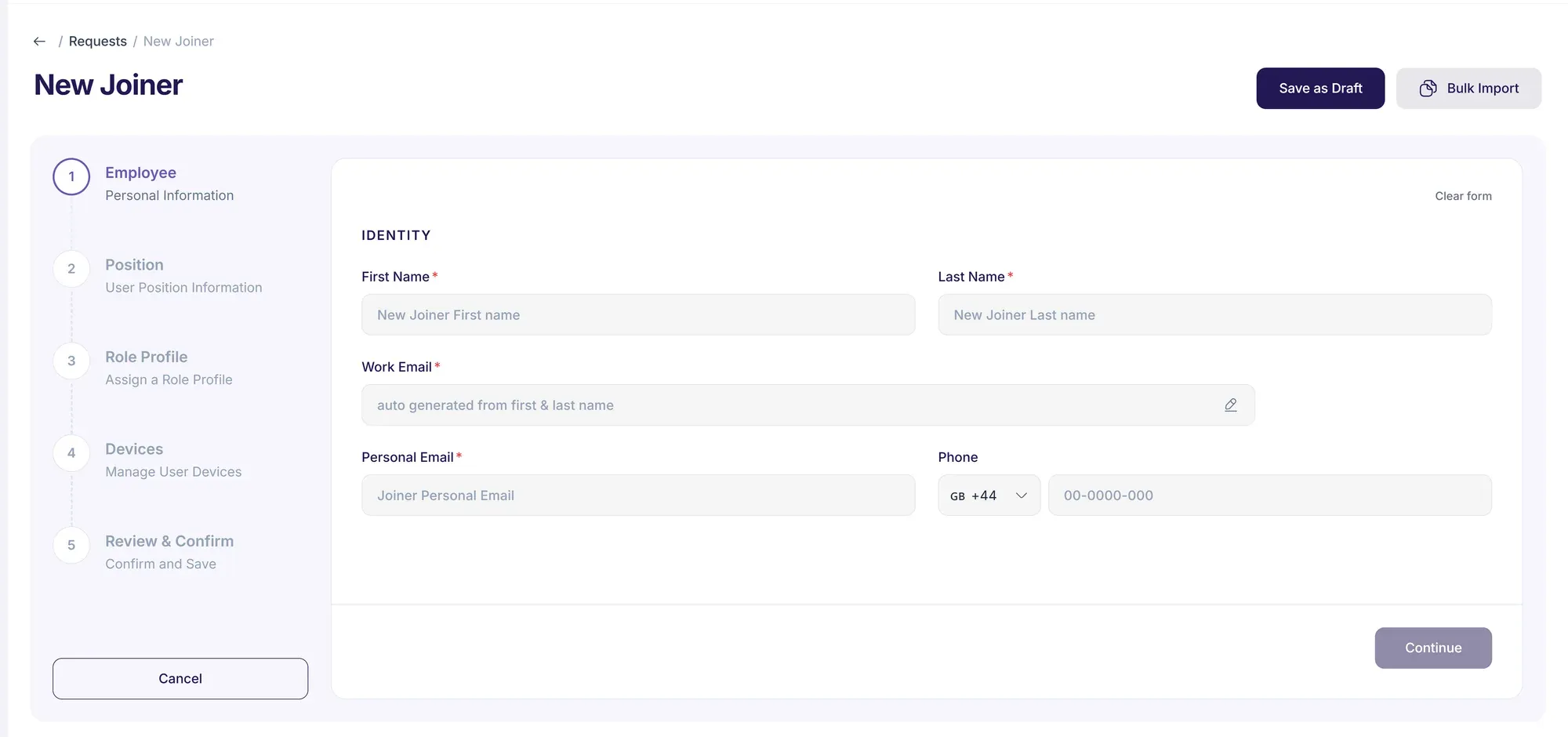
HR records the change as a joiner, mover or leaver request.
02
The employee’s manager approves it, then IT reviews it.
03
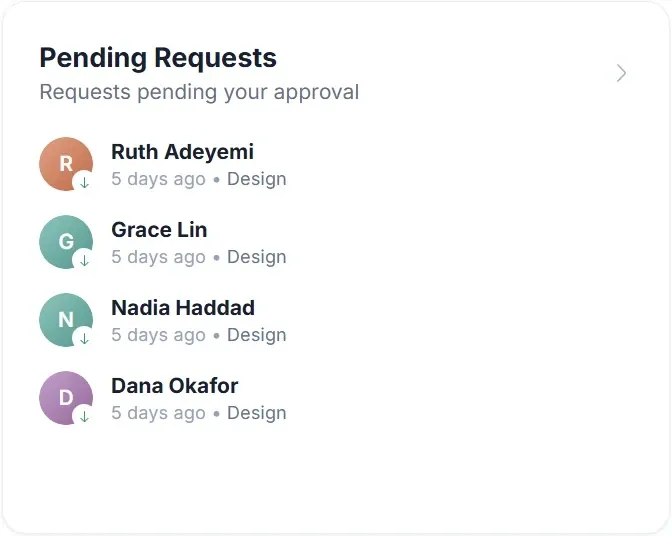
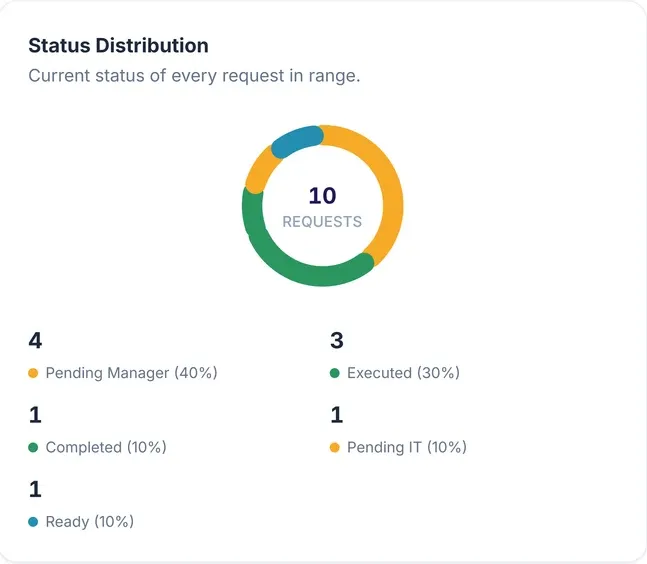
IT sees every request by stage, from manager approval to ready for IT.
04
IT runs the approved account, licence and group changes from the role profile.
05
Requests and decisions are recorded in the audit history.

HR and IT
HR starts the change. IT stays in control.
Nobody is cut out and nothing is thrown over a wall. One request carries the change from HR to IT, and three things hold all the way along it.
Approval
Nothing changes without a yes
The employee’s manager approves each request, then IT reviews it, with an optional second IT sign-off.
Execution
IT decides when it runs
An approval changes nothing on its own. IT runs the approved work as a separate, deliberate step.
Record
One request, one record
Every decision is recorded with who made it and when, so HR and IT work from the same request.
Tenriva takes on the repeated steps, not the decisions.
How Tenriva approaches governanceJoiner · Mover · Leaver
Joiners get planned. Movers and leavers get missed.
A new starter has a date, a manager and a checklist. A promotion or a resignation often has an email. Tenriva gives all three the same structured request.
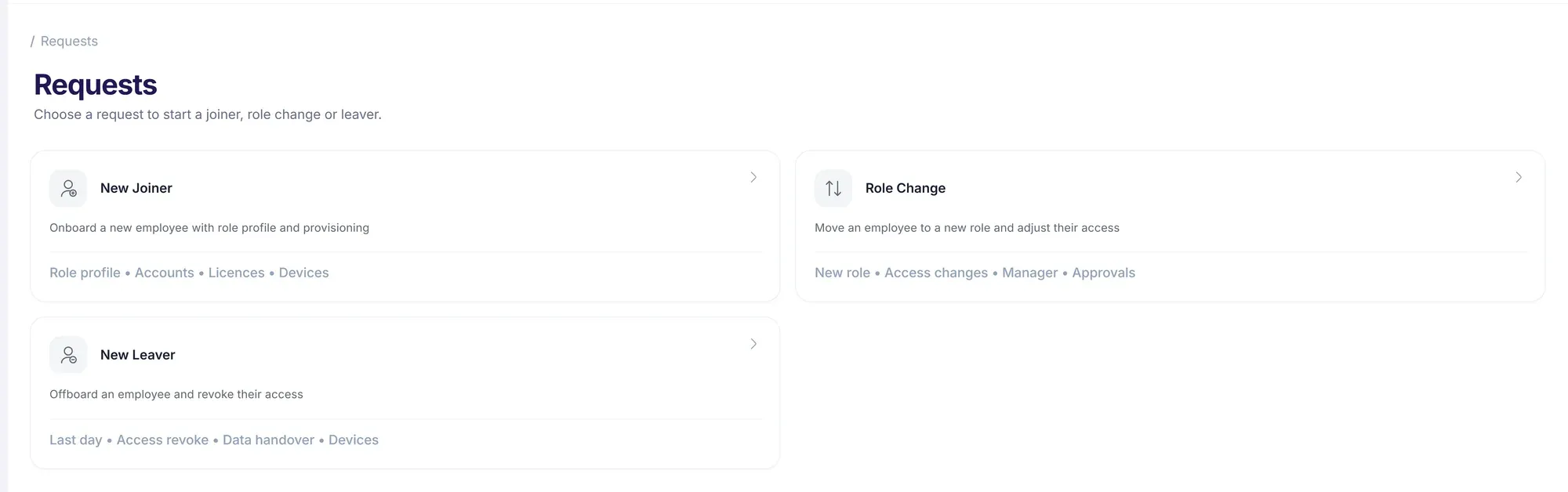
Joins
Access should be there on day one.
A joiner request records
- Start date
- Department
- Manager
- Role profile
Moves
Access should change with the role, not pile up.
A mover request records
- The new role, department or manager
- The date it takes effect
- The role profile for the new role
Leaves
Access should end when they do.
A leaver request records
- Last working day
- The reason for leaving
- How the mailbox and devices are handled
Visibility
The answers are in one place.
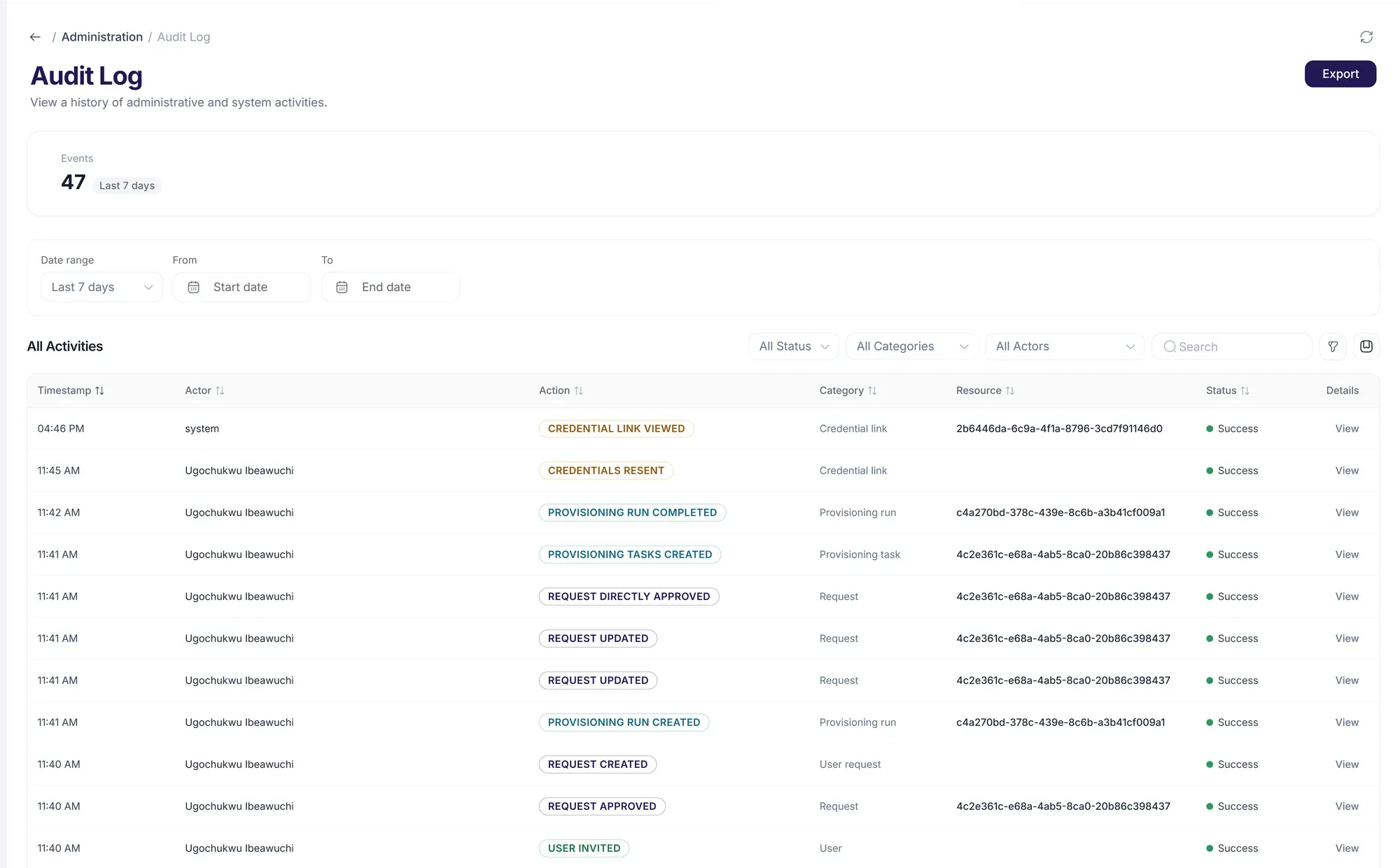
After a change, someone always asks who approved it, what is still waiting, and what access nobody is using. Each one is a screen, not a search.
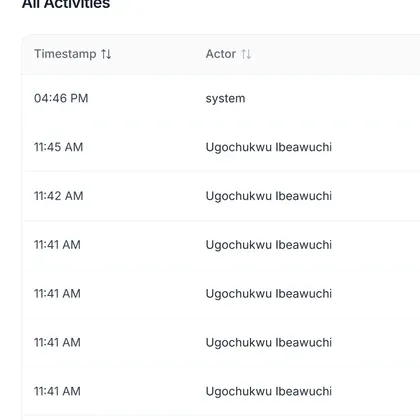
- Who approved this, and when?
- The audit history records each request and every approval, with who made it and when.
- What is still waiting?
- The work queue shows every request by stage, from manager approval to ready for IT.
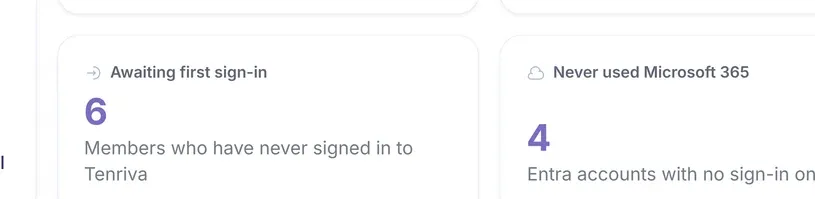
- Who has a licence they no longer use?
- Licence insights lists licensed accounts that have not been used in the last 30, 60 or 90 days.
Questions
The questions we get asked first.
Short answers, and where to read the longer ones.
Can we buy Tenriva today?
Yes. Every plan starts with a 30-day trial that needs no card, and you can set it up yourself. If you would rather be shown round first, booking a walkthrough does not create a commitment.
What does it cost?
From £2.50 per seat a month on Starter, billed annually, with Growth at £4.00 and Enterprise from £11.99 on a 400-seat minimum. Those Starter and Growth prices are the Founders 25 rate, which the first 25 organisations to subscribe keep for twelve months. The pricing page has the detail.
What can it do today?
Joiner requests, Mover requests, Leaver requests, Approvals, Work queue, Audit history, Role profiles, Licence insights, Device inventory, Analytics, Sign-in with Microsoft Entra ID, Microsoft 365 changes for joiners and movers, Microsoft 365 leaver actions, Retry and roll back, HR system connections, Microsoft 365 service health. All of it is available today.
Will it work with our Microsoft tenant?
Tenriva is designed to work with Microsoft Entra ID and Microsoft 365 through Microsoft Graph. People sign in with their existing Microsoft work account. The specific Microsoft Graph permissions are not published here yet, so ask and we will go through them with you.
Does an approval change anything on its own?
No. The employee’s manager approves the request and IT reviews it, and IT then runs the approved work as a separate, deliberate step. Tenriva takes on the repeated steps, not the decisions.
Are you ISO 27001 or SOC 2 certified?
No. Tenriva does not claim ISO 27001 or SOC 2 certification, and we would rather say so here than let it come up late in procurement.
Next step
Try it on a change your team runs every week.
Start the trial and put a new starter, a role change or a leaver through Tenriva. If you would rather be shown first, book a walkthrough and we’ll run it with you.